

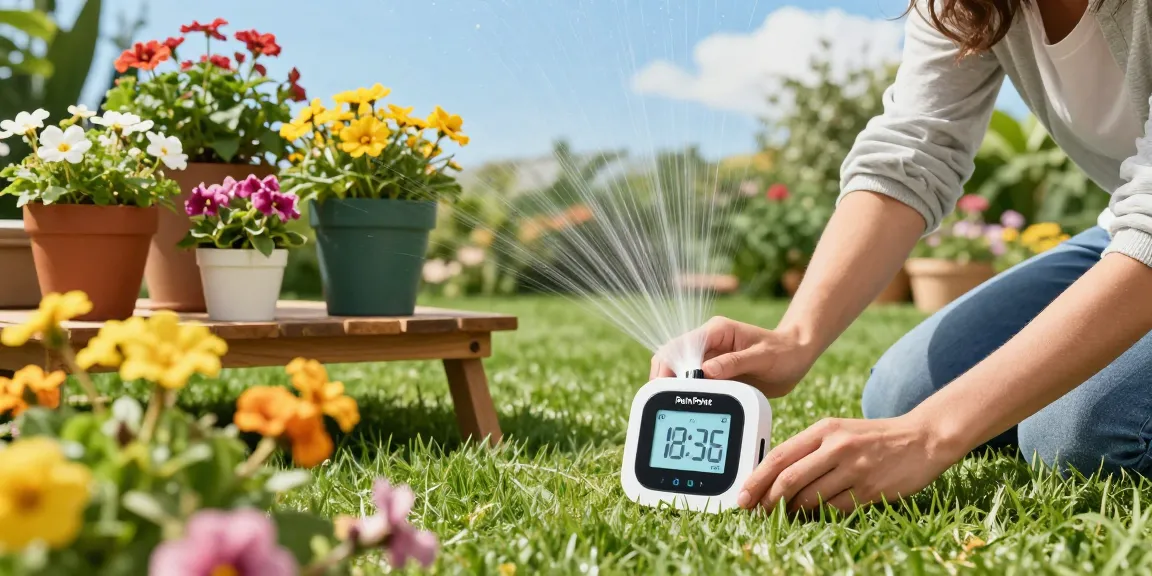
Understanding the RainPoint Sprinkler Timer: Features and Benefits
As gardening enthusiasts increasingly seek efficient ways to manage their watering needs, the rainpoint sprinkler timer has emerged as a game-changer. For those who juggle a busy lifestyle while wanting to maintain lush gardens and vibrant plants, these smart irrigation tools offer a seamless solution. Let’s explore what makes the RainPoint Sprinkler Timer a vital addition to your gardening toolkit.
What is the RainPoint Sprinkler Timer?
The RainPoint Sprinkler Timer is an innovative device designed to automate watering schedules. Equipped with smart technology, this timer allows users to set specific watering times and durations, ensuring that plants receive the optimal amount of water without manual intervention. Its Wi-Fi connectivity enables users to monitor and adjust settings remotely via a dedicated mobile application, making it a perfect fit for modern gardening needs.
Key Features of the RainPoint Sprinkler Timer
- Wi-Fi Connectivity: Allows remote control and monitoring through an app, making it easy to manage your irrigation schedules from anywhere.
- Soil Moisture Sensors: These sensors provide real-time data about the moisture levels in your soil, helping to adjust watering schedules based on actual needs rather than a fixed timetable.
- Weather Adaptability: Advanced models can sync with weather forecasts to avoid watering during rain, thus preventing water waste.
- Multiple Zones: Users can control different zones of their garden separately, which is ideal for those with diverse plant types and watering requirements.
- Easy Installation: The RainPoint timer is designed for straightforward installation, allowing users to set it up quickly without needing extensive DIY skills.
Benefits of Using a Smart Sprinkler Timer
One of the primary advantages of using a smart sprinkler timer is the significant water conservation it offers. By utilizing soil moisture sensors, these timers help ensure that water is only used when necessary, contributing to sustainable gardening practices. Furthermore, they can free up valuable time for gardeners, allowing for a more hands-off approach to maintaining gardens, which is particularly beneficial for those with busy schedules.
Installation Guide: Setting Up Your RainPoint Sprinkler Timer
Step-by-Step Installation Process
Installing the RainPoint Sprinkler Timer is a simple process that can be completed in a few steps:
- Choose the optimal location for your timer, ensuring it is near a water source and Wi-Fi coverage.
- Attach the timer to your outdoor faucet or hose connection.
- Connect the hoses or irrigation system to the timer based on your garden layout.
- Power on the timer and follow the instructions to configure it to your mobile app.
Common Installation Challenges and Solutions
While installation is generally straightforward, some users may encounter challenges such as poor Wi-Fi connectivity. If the timer is installed far from the Wi-Fi source, consider using a Wi-Fi extender to enhance connectivity. Additionally, if there are issues with the hose connections, ensure all fittings are securely tightened to prevent leaks.
Connecting to Wi-Fi and App Setup
To make the most out of your RainPoint Sprinkler Timer, connecting it to Wi-Fi is essential. Once powered on, use the mobile app to guide you through the connection steps. If you experience connectivity issues, try restarting both the timer and your router. Once connected, you can manage your watering schedule directly from your smartphone.
Optimizing Water Usage with the RainPoint Sprinkler Timer
Understanding Soil Moisture Levels
Effective gardening requires not just a watering schedule, but an understanding of your plants’ moisture needs. The RainPoint Sprinkler Timer’s soil moisture sensors provide invaluable insights into the current soil conditions, allowing you to tailor your watering to suit specific plants. This information helps reduce overwatering or underwatering, promoting healthier growth.
Scheduling Watering Cycles for Maximum Efficiency
One of the most powerful features of the RainPoint Sprinkler Timer is its scheduling capability. Users can set multiple watering cycles throughout the day, accommodating the varying needs of different plants. Adjusting the frequency and duration based on seasonal changes can also optimize water usage and ensure that your garden thrives year-round.
Real-Time Data Monitoring for Better Results
With the ability to monitor water usage and moisture levels in real-time, gardeners can continuously improve their irrigation practices. The app provides updates on how much water is being used and informs users when adjustments to the schedule are necessary, facilitating effective water management.
Maintenance and Troubleshooting for Your RainPoint Sprinkler Timer
Regular Maintenance Tips for Longevity
Like any piece of technology, regular maintenance is important for ensuring the longevity of your RainPoint Sprinkler Timer. This includes:
- Regularly checking for leaks in hoses and connections.
- Cleansing the filter screens to prevent clogging from debris.
- Updating the app and firmware as needed to utilize the latest features and enhancements.
Common Issues and How to Fix Them
Users may occasionally face issues such as connectivity problems or incorrect watering schedules. If your timer is not responding, try rebooting the device and checking your internet connection. For incorrect watering, ensure that the settings in the app align with your garden’s requirements.
When to Seek Professional Help
If issues persist despite troubleshooting, it may be worthwhile to consult with a professional. This could be particularly important for complex installations or if you encounter mechanical failures that require repair.
Future Trends in Smart Irrigation Systems
Innovations in Smart Watering Technologies by 2026
The future of smart irrigation systems is promising, with advancements expected to include higher levels of automation, such as integration with artificial intelligence that learns optimal watering patterns. Additionally, enhancements in sensor technology are likely to provide even more accurate data regarding plant health and needs.
The Role of Sustainability in Irrigation Solutions
As water scarcity becomes an increasing global concern, the role of sustainability in irrigation solutions cannot be understated. Smart systems like the RainPoint Sprinkler Timer not only optimize water use but also support eco-friendly gardening practices. This alignment with sustainability trends will drive future innovations in the industry.
Predictions for the Gardening Industry’s Adoption of Smart Devices
With a growing awareness of the benefits of smart devices, it’s predicted that more gardeners will adopt technologies like the RainPoint Sprinkler Timer in the coming years. Enhanced consumer education and affordability will further accelerate this trend, making efficient gardening accessible to all.
What are the advantages of the RainPoint Sprinkler Timer?
The RainPoint Sprinkler Timer offers numerous advantages including water savings, improved plant health through precise watering, and the convenience of remote management. Moreover, its user-friendly interface and robust design ensure that even novice gardeners can reap the benefits.
How do I install my RainPoint Sprinkler Timer?
Installation involves attaching the timer to your existing water source, connecting your irrigation system, and setting it up via the mobile app. Detailed instructions are typically included with the product to guide users step-by-step through the process.
Can the RainPoint Sprinkler Timer help reduce water waste?
Yes, by using features like soil moisture sensors and weather adaptability, the RainPoint Sprinkler Timer significantly reduces water waste by ensuring plants only receive water when they need it.
What features make the RainPoint Sprinkler Timer user-friendly?
User-friendly features include Wi-Fi connectivity for remote management, an intuitive mobile app for scheduling, and easy installation procedures that don’t require technical expertise.
How do I troubleshoot connectivity issues with my RainPoint Timer?
If experiencing connectivity issues, first check your Wi-Fi signal strength near the timer. Restarting both the timer and your router can often resolve common connection problems. Additionally, ensuring your app is up-to-date is crucial for maintaining connectivity.
